 PhoneCommander
Your iPhone, at home on your PC.
Browse, back up, convert and clean your iPhone's photos and videos straight from Windows — over USB or Wi-Fi.
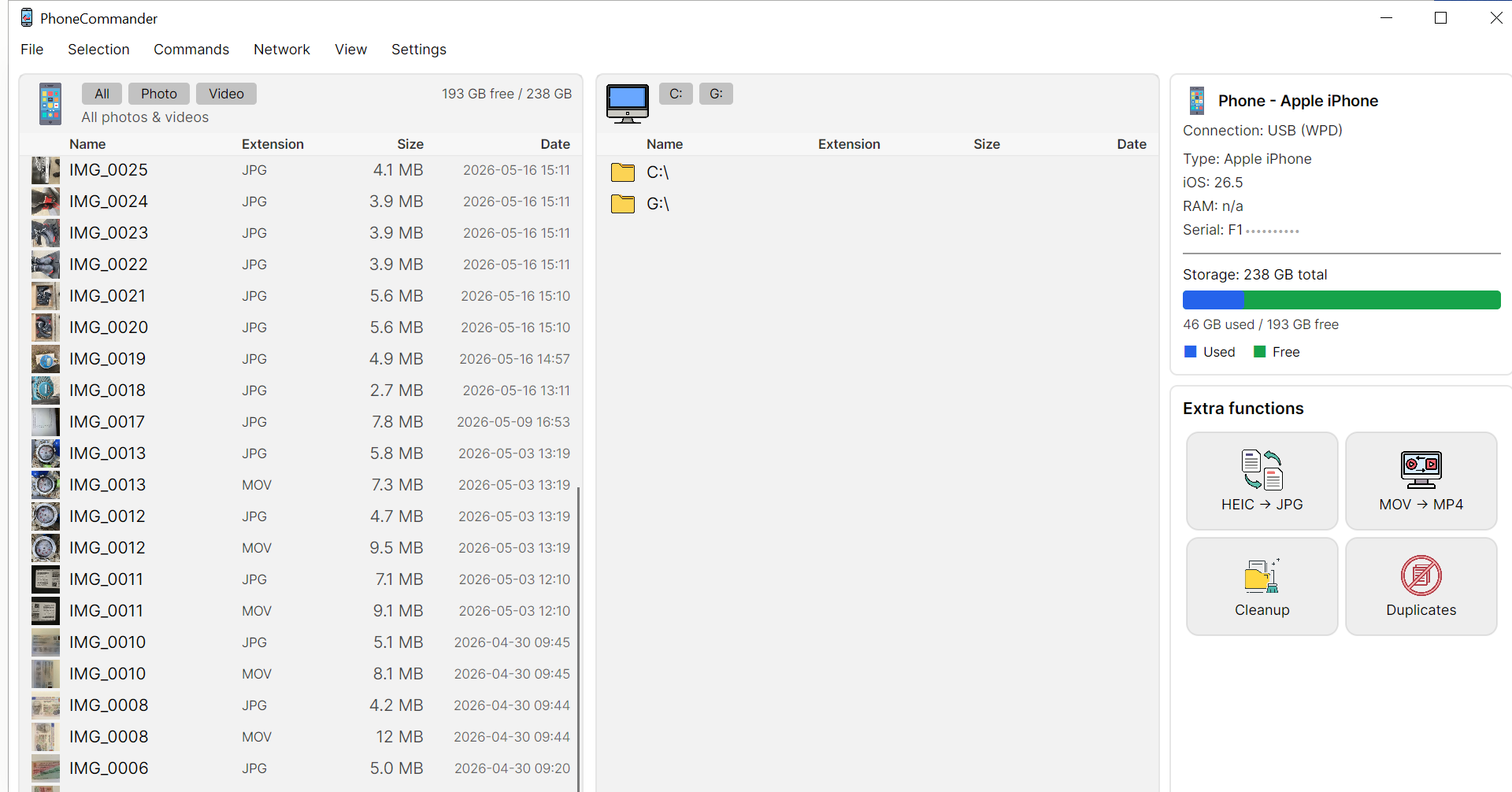
Everything your camera roll needs
One clean, flat view of every photo and video — the same whether you connect by cable or Wi-Fi.
One flat media view
All your photos and videos in a single, newest-first list with thumbnails — no digging through albums or folders.
Copy & back up to PC
Move or copy any selection to your computer with a real progress bar — fast, resumable, one-click.
HEIC & MOV conversion
Turn HEIC into JPG or PNG and MOV into MP4 — in batches, with quality options that just work on Windows.
Duplicates & cleanup
Find exact duplicates and your biggest files, then free up space on the phone in a couple of clicks.
USB or Wi-Fi
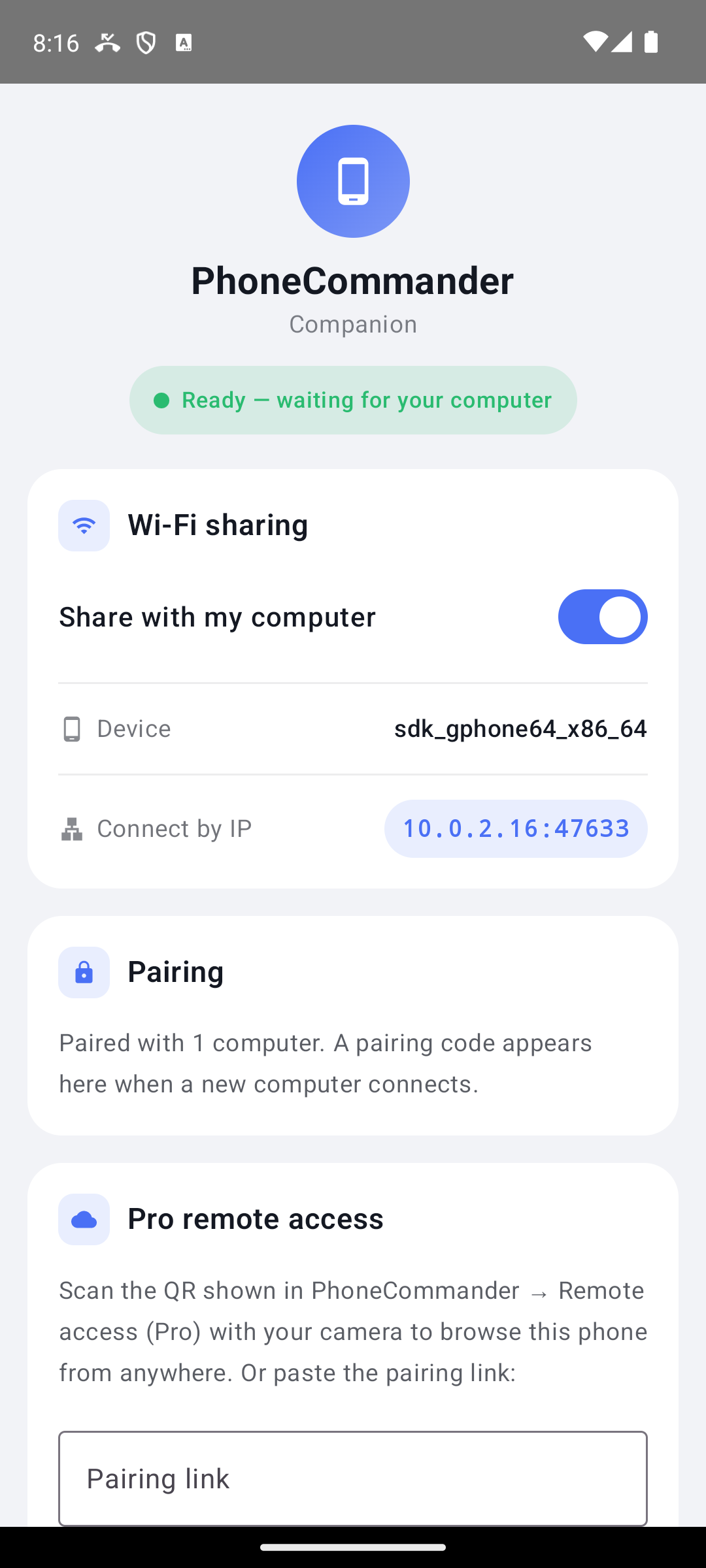
Plug in with a cable, or pair the companion app over Wi-Fi. PhoneCommander picks the best connection automatically.
Device info & storage
Model, iOS version, serial, battery and a clear storage bar — everything about your phone at a glance.
Up and running in under a minute
No accounts, no iTunes, no setup wizard.
Connect your iPhone
Plug in over USB, or open the companion app and pair over Wi-Fi. Your camera roll appears instantly.
Browse one flat list
Every photo and video, newest first, with thumbnails. Filter to just photos or just videos with one click.
Copy, convert, clean
Back up to your PC, convert HEIC/MOV to standard formats, or clear duplicates to reclaim space.
See it in action
A familiar two-pane commander on the desktop, with a native companion on the phone.
Free to start. Pro when you need more.
Core browsing, copying and device info are free and unlimited — forever.
Free
- Unlimited browsing & thumbnails
- Copy & back up to PC
- Single HEIC conversion & device info
- Metered cleanup & short clips
Pro
or €19.90 / year — 2 months free
- Everything in Free
- Unlimited batch HEIC & MOV conversion
- Full-length video conversion
- Encrypted remote access to your phone
- Unlimited cleanup & no ads
Pro is a monthly subscription — cancel anytime. You’re charged in your local currency at checkout. Pricing shown is indicative for launch.
Frequently asked questions
Do I need iTunes or any Apple software?
No. PhoneCommander talks to your iPhone directly through Windows, so you don't need iTunes, drivers or an Apple account to browse and copy your photos and videos.
Is it safe? Can it delete my photos?
It's read-first: nothing is changed on your phone unless you explicitly copy, convert or delete. Deletes go to the iPhone's "Recently Deleted", where they can be recovered for 30 days.
What's the difference between USB and Wi-Fi?
USB works out of the box with just a cable. Wi-Fi uses the free companion app on your iPhone for a wireless connection to the same photos. You can use either — the app prefers USB when a cable is plugged in.
Does it need installation?
No. The download is a portable ZIP — unzip it anywhere and run the app. Nothing is written to your system, and you can delete the folder to remove it completely.
Which platforms are supported?
Windows 10 and 11 (64-bit) today. The app is built to be cross-platform, and a macOS build is planned.
Take control of your camera roll
Free to download. Unzip and run — no installer, no account.
Download for WindowsPortable ZIP · Windows 10 / 11 · 64-bit · ~82 MB